
Introduction: Are You Flying Blind With Your Website Data?
You’ve heard that data drives growth. So you set up Google Analytics, maybe even Google Search Console ,and now you’re staring at two completely different dashboards wondering: which one do I actually use?
This confusion is more common than you think ,and it’s costly. Without clarity on which SEO analytics tools to use and when, small business owners end up ignoring critical insights, misreading their numbers, or making decisions based on half the picture.
The solution is simpler than you think. Both tools are free, powerful, and designed to work together. Once you understand what each one does ,and when to use it ,you’ll have everything you need to make smarter marketing decisions. Let’s break it down.
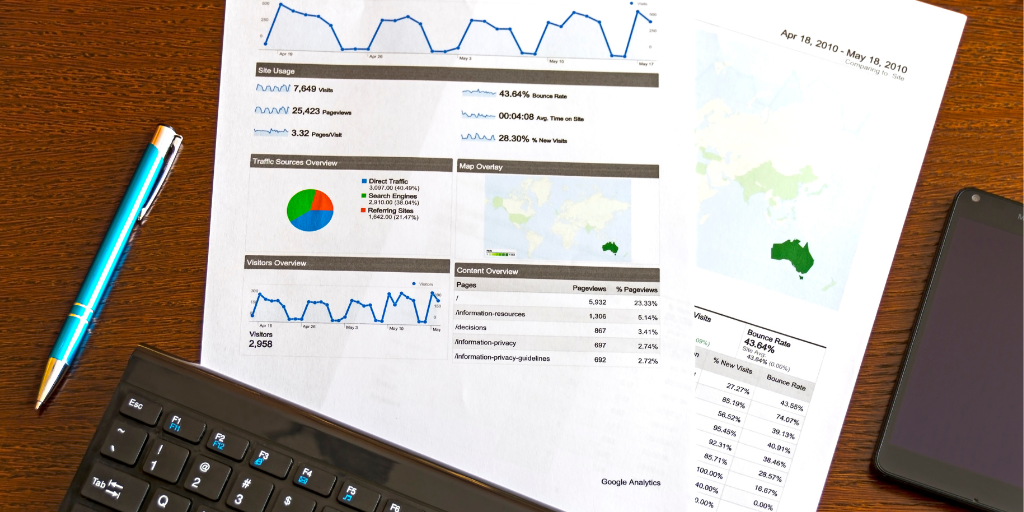
Why Every Small Business Needs Both SEO Analytics Tools
Google Analytics and Google Search Console are the two most powerful free SEO analytics tools available to small business owners today. Used separately, each offers valuable data. Used together, they give you a complete, end-to-end picture of your website’s performance.
According to HubSpot, businesses that use data-driven strategies are 6 times more likely to be profitable year over year. Yet many small business owners use neither tool consistently ,leaving massive growth opportunities on the table.
Key takeaway: These aren’t optional extras. They’re essential tools for any small business competing online.
What Is Google Analytics? Your On-Site Behavior Tracker
Google Analytics is a web analytics platform that tracks everything that happens on your website after a visitor arrives. In simple terms, it answers: What are people doing once they land on my site?
It’s one of the most widely used SEO analytics tools in the world ,and for good reason. It gives you a real-time, detailed view of your audience and their journey through your website .
What Google Analytics measures:
- Sessions and users ,total visits and unique visitors over a time period.
- Traffic sources ,organic search, paid ads, social media, direct, and referral.
- Bounce rate ,percentage of visitors who leave without engaging.
- Conversion rate ,how many visitors complete a goal such as a purchase or sign-up.
- Average session duration ,how long visitors spend on your site.
- Top-performing pages ,which content drives the most engagement.
Think of Google Analytics as your website’s inside story. It tells you everything about visitor behavior once they’re on your pages.
What Is Google Search Console? Your Search Visibility Monitor
Google Search Console (GSC) is a free tool that shows you how Google views and ranks your website. It answers a different question entirely: How is my site performing in Google search results?
While Google Analytics focuses on on-site behavior, GSC focuses on what happens before the visitor clicks, in the search results themselves. It’s an indispensable part of any digital marketing agency’s toolkit and equally valuable for business owners managing their own SEO.
What Google Search Console measures:
- Search queries ,the exact keywords people typed before clicking to your site.
- Impressions ,how many times your pages appeared in Google search results.
- Click-through rate (CTR) ,percentage of impressions that resulted in a click.
- Average position ,your average ranking across search queries.
- Index coverage ,which pages Google has indexed and any errors blocking indexing.
- Core Web Vitals ,page speed and user experience signals that directly affect rankings.
- Manual actions ,Google penalties that may be suppressing your rankings.
Think of Google Search Console as Google’s report card for your website ,a direct line of communication between your site and the world’s largest search engine.
The Core Difference: Before the Click vs After the Click
Here’s the clearest way to understand the difference between these two SEO analytics tools:
- Google Search Console = what happens BEFORE someone visits your site (search visibility, rankings, impressions).
- Google Analytics = what happens AFTER someone visits your site (behavior, engagement, conversions).
One without the other leaves you with an incomplete picture. A spike in Google Analytics traffic means nothing if you don’t know which search query drove it. And a high impression count in GSC means nothing if you don’t know whether those visitors converted.
Best practice: Use both tools together every month. They answer different questions, and you need answers to both.
When to Use Google Analytics: Measure Behavior and Business Results
Open Google Analytics when you want to understand your audience and measure the performance of your marketing efforts.
Use Google Analytics to answer questions like:
- Which traffic source ,organic, social, or paid ,drives the most conversions?
- Which blog posts or product pages have the highest bounce rate?
- How many visitors are coming from mobile devices?
- Did my email campaign last month drive any sales?
When to Use Google Search Console: Fix SEO Issues and Capture More Clicks
Open Google Search Console when you want to improve your search rankings, fix technical SEO problems, or find quick wins to earn more organic clicks.
Use Search Console to answer questions like:
- Which keywords am I ranking for that I didn’t know about?
- Which pages get lots of impressions but very few clicks? (Low CTR = opportunity).
- Are there crawl errors preventing Google from indexing my pages?
- Does my site have Core Web Vitals issues hurting my rankings?
How to Use Both Tools Together: A Monthly Workflow
The real power of these SEO analytics tools is in combining them. Here’s a simple monthly workflow any small business owner can follow:
- Week 1: Open GSC ,check for crawl errors, index issues, and new manual actions. Fix anything urgent.
- Week 2: Review GSC Performance Report ,identify keywords with high impressions but low CTR. Update meta titles and descriptions.
- Week 3: Open Google Analytics ,review top traffic sources and check which pages have the highest bounce rate. Improve underperforming pages.
- Week 4: Check conversions in GA ,measure which channels drove the most valuable actions. Adjust your marketing budget accordingly.
This simple rhythm, repeated monthly, creates a compounding improvement loop that most of your competitors simply aren’t doing.
Common Pitfalls to Avoid With These Tools
Pitfall 1: Using Only One Tool
Relying on Google Analytics alone means you’re missing search visibility data. Relying only on GSC means you don’t know what visitors do after they arrive. Use both ,every time.
Pitfall 2: Not Linking the Two Tools Together
Google allows you to connect GSC data directly inside Google Analytics. This unlocks a combined view of search queries and on-site behavior in one place. Link them immediately in your GA4 settings.
Pitfall 3: Ignoring Core Web Vitals in GSC
Google’s Core Web Vitals ,load speed, interactivity, and visual stability ,are official ranking factors. Poor scores can suppress your rankings even if your content is excellent. Check this report monthly.
Pitfall 4: Skipping Goal Setup in Google Analytics
Without conversion goals, you’re only seeing traffic ,not results. Always define what a “win” looks like for your business and set it up as a conversion event in GA4.
Conclusion: Data Is Only Powerful When You Use It
Google Analytics and Google Search Console are not interchangeable ,they’re complementary. One reveals what happens before the click; the other reveals what happens after. Together, they are the two most important free SEO analytics tools in your digital marketing arsenal.
The small businesses winning online aren’t those with the biggest budgets. They’re the ones making smarter decisions, faster ,using the right data at the right time.
At Digital Happiness Agency, we specialize in helping US small business owners set up, understand, and act on data from Google’s most powerful SEO analytics tools. As a results-driven digital marketing agency, we turn confusing dashboards into clear growth strategies, tailored to your goals and your budget.
Ready to stop guessing and start growing? Contact Digital Happiness Agency today for a free website audit. Let’s make your data work for you.